Everything you need for your stay — in one menu
In Luma Concierge, you can browse hotel services, place an order, message the front desk, track the progress of a request, and check your room bill. The menu opens on a phone or tablet.
How to sign in
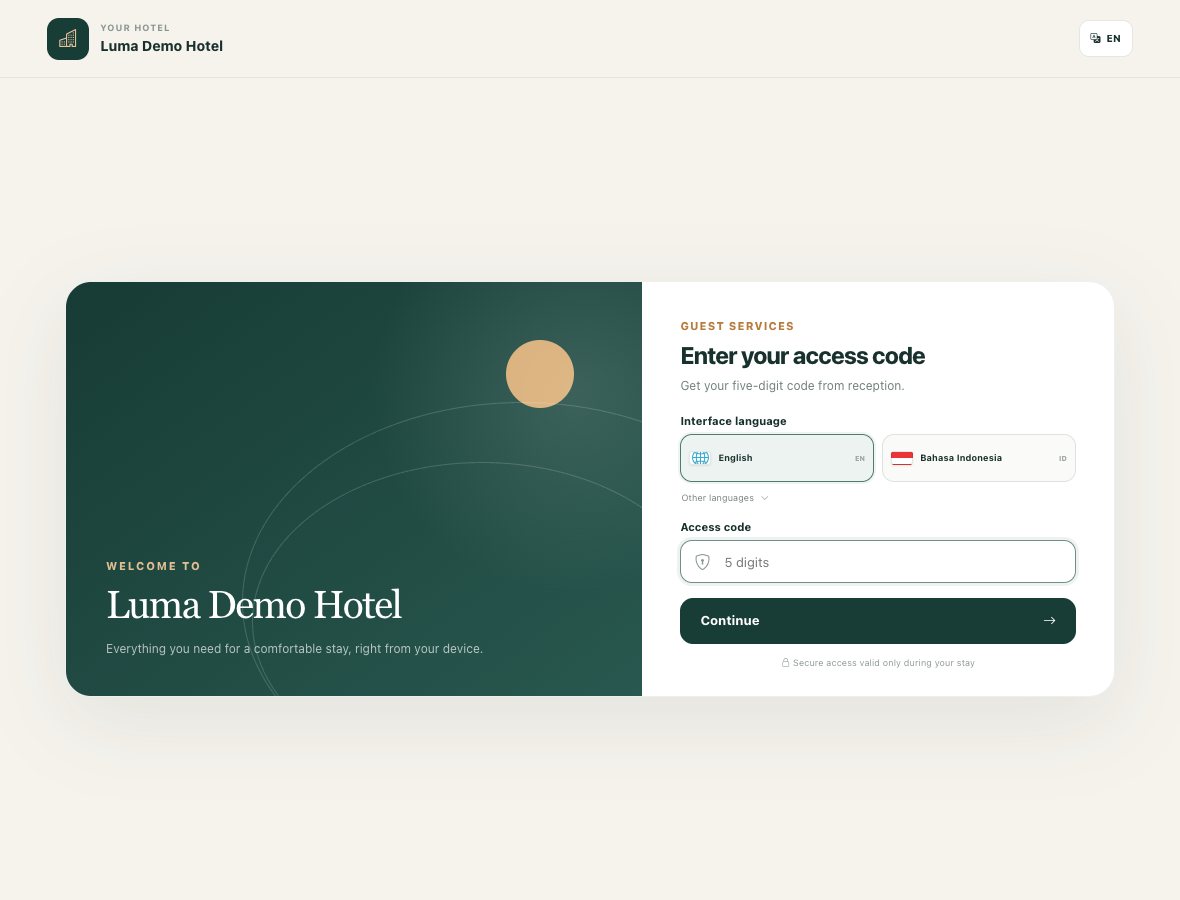
- Open the guest menu link provided by the hotel.
- Choose your preferred language from those available.
- Enter the five-digit stay code you received at the front desk.
- Tap "Continue".
On your first sign-in, the system will offer a short introduction to the main sections.
If the menu is already open on a tablet, open the QR code in it and scan it with your phone's camera. You will sign in to the same stay without re-entering the code.
The code and QR link give access to your stay — share them only with those you want to share this access with. If the code does not work, contact the front desk.
How to order a service
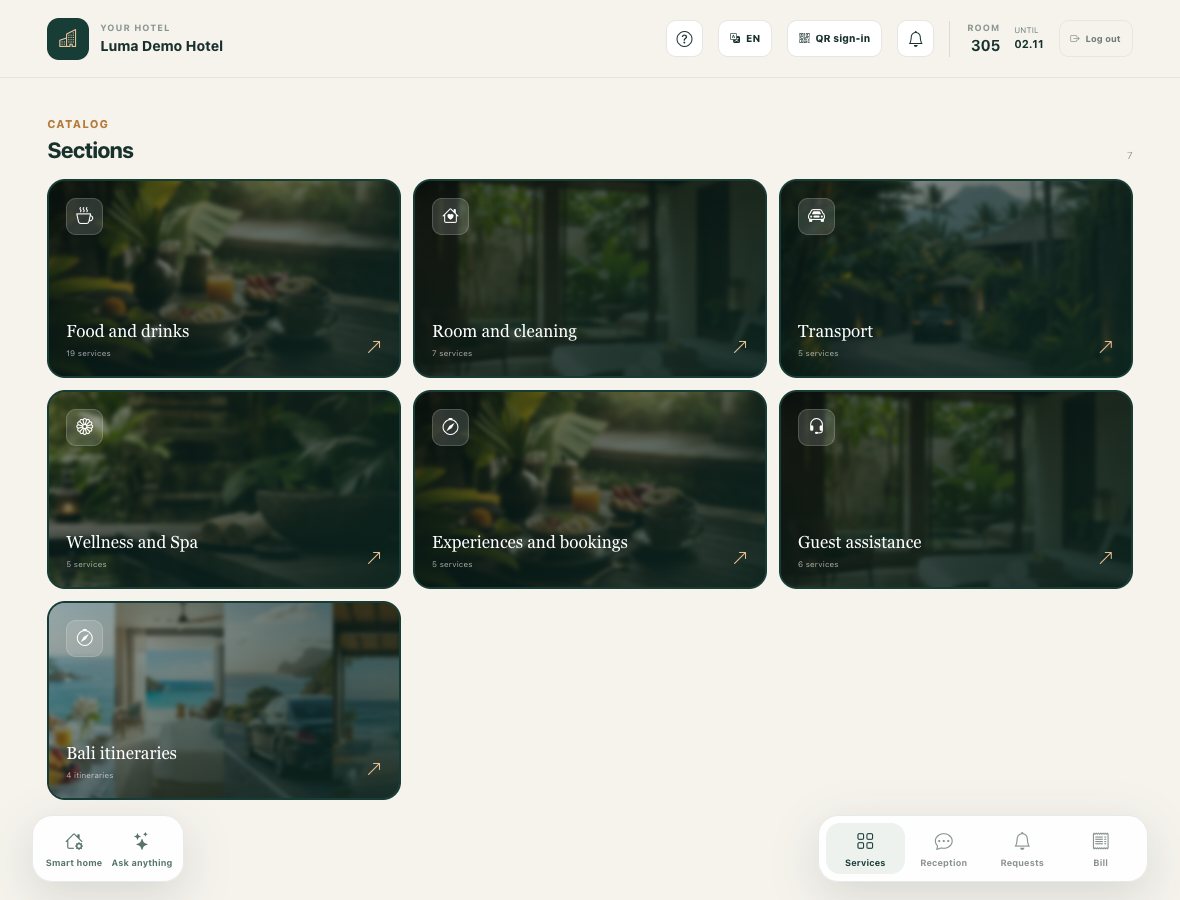
- Open the catalog and choose a service.
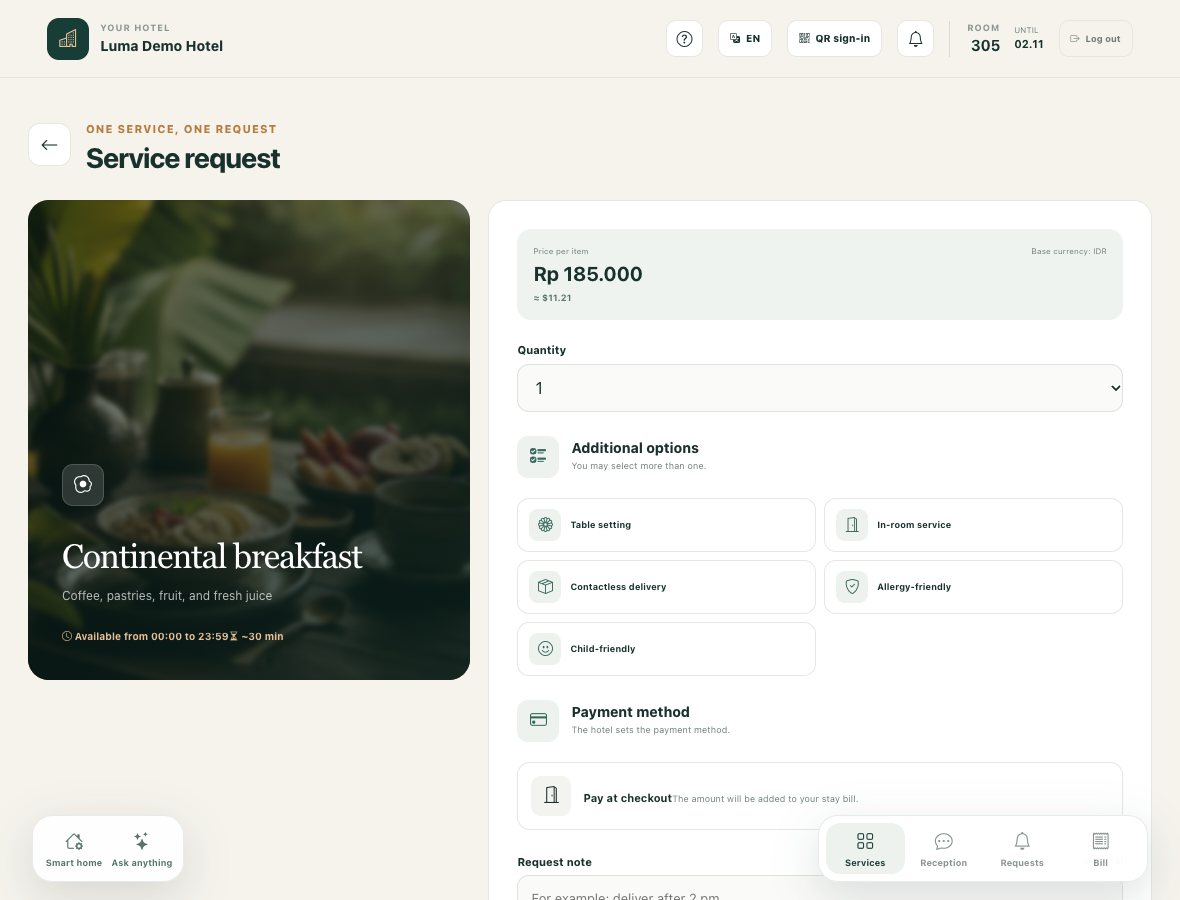
- Read the description, price, availability hours, and payment terms.
- Specify the quantity and any additional options you need.
- If a booking is required, choose the date and time, keeping in mind the stated minimum lead time.
- Add a comment — for example, a convenient delivery time or special requests.
- Check the total amount and tap "Submit request".
Each service ordered creates a separate request. The hotel team will receive it for processing.
For example, if the hotel offers breakfast in your room, you can choose the number of servings and add requests in the comment.
How to track progress
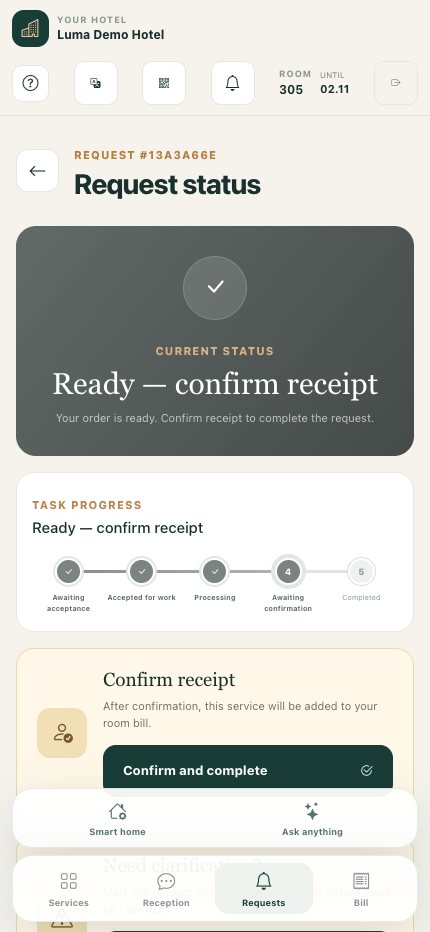
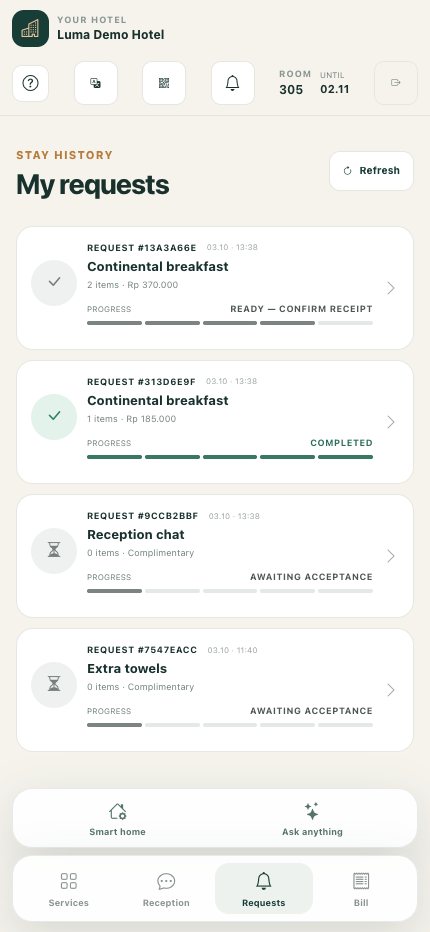
Open "My requests", then select the order you need. The card shows the current status, progress, and change history. Statuses update automatically; if needed, use the refresh button for the list.
If the team is waiting for your response, clarify the details via the front desk. Once the service has been provided and a confirmation button appears, tap "Confirm and complete". For a service paid at checkout, this will add the charge to your room bill.
You can cancel an order yourself while it is new or accepted, before it moves into progress. If cancellation is no longer available, message the front desk.
The card may also offer a request for clarification and a request for a partial or full refund. A refund request forwards the inquiry to the hotel team; the decision and calculation are handled separately.
How to message the front desk
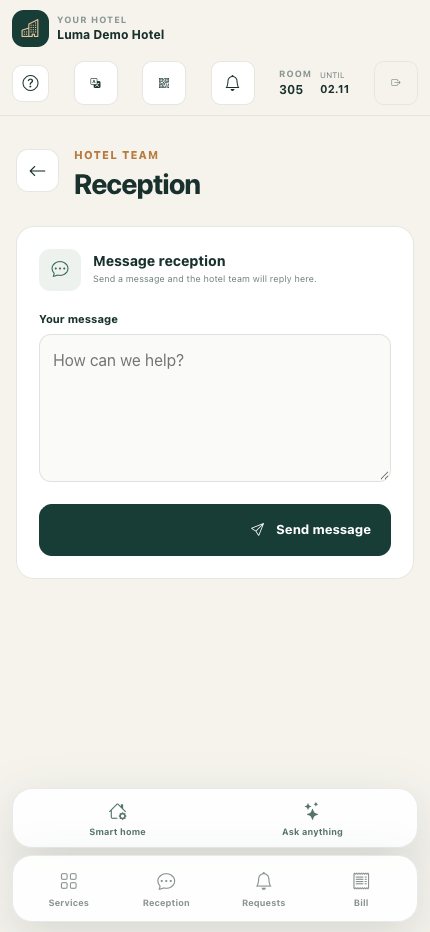
Open "Front desk", write your question, and send the message. The staff member's reply will appear in the conversation. This is a convenient place to clarify order details, report a problem, or ask for help.
How to check your bill
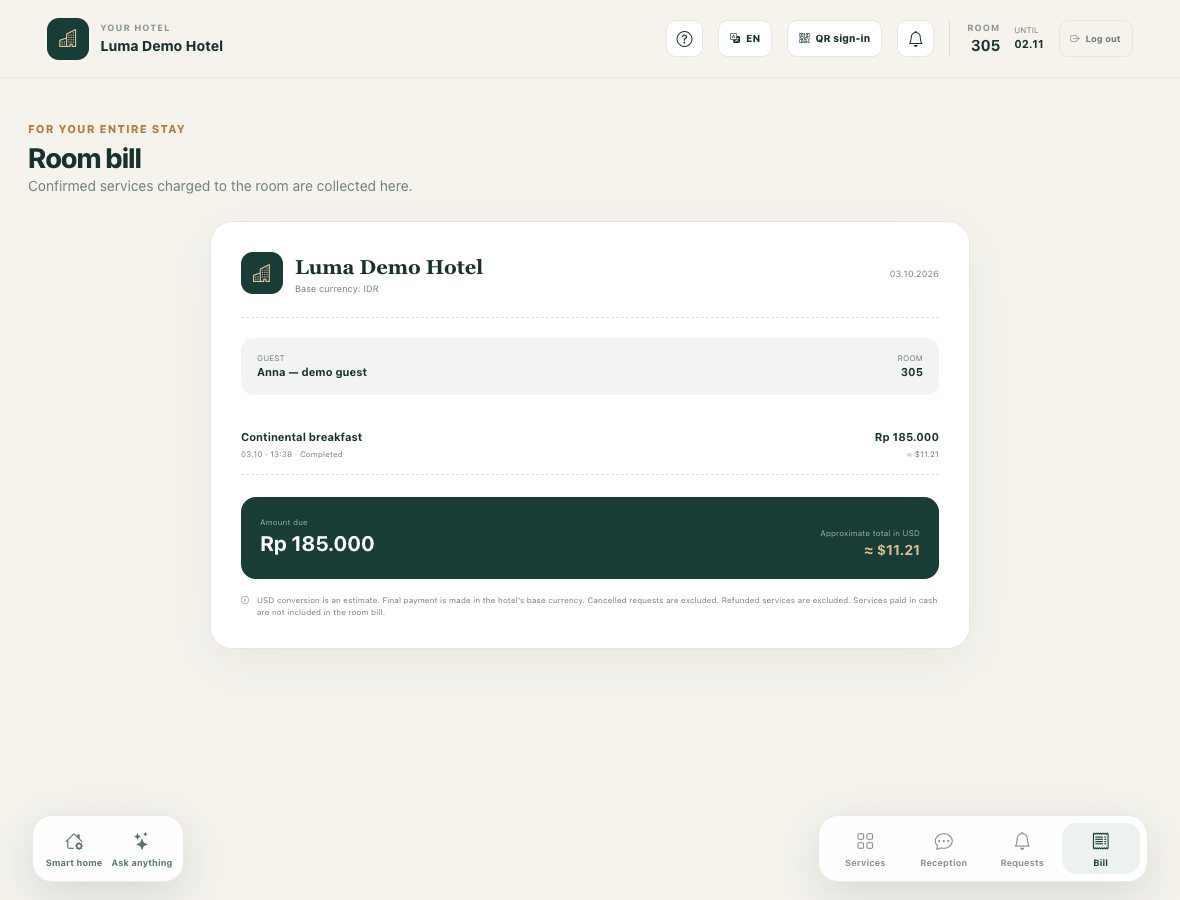
Open "Room bill". It lists completed services charged to the room. Services paid in cash are not included in this bill. Cancelled requests and requests marked as refunded are excluded from the displayed list.
The main amount is shown in the hotel's currency. The conversion to dollars, if shown, is approximate. If you have a question about a charge or refund, clarify the final calculation at the front desk.
Additional features
AI assistant. If the section is enabled for your room, ask a question in plain text — for example: "Which services would suit a quiet evening?" The assistant may suggest services from the catalog. Go to a suitable service and place a request: the assistant's reply alone is not yet an order.
Guides. If the hotel has added them to the catalog, browse materials with leisure ideas and routes.
Smart Home. If the section is available, you can explore the panel for lighting, climate, curtains, and relaxation scenes. This is currently a demonstration mode; real control of room equipment is not connected.
Notifications. In the notification settings, enable push or save your email to receive status changes. Push availability depends on the browser and device. If the menu offers to add the site to your Home screen, do so and open it as an app.
After checkout, access to the stay and related notifications ends.